User Edit
User Edit
Click [Edit] to view or modify program access permissions for a user.
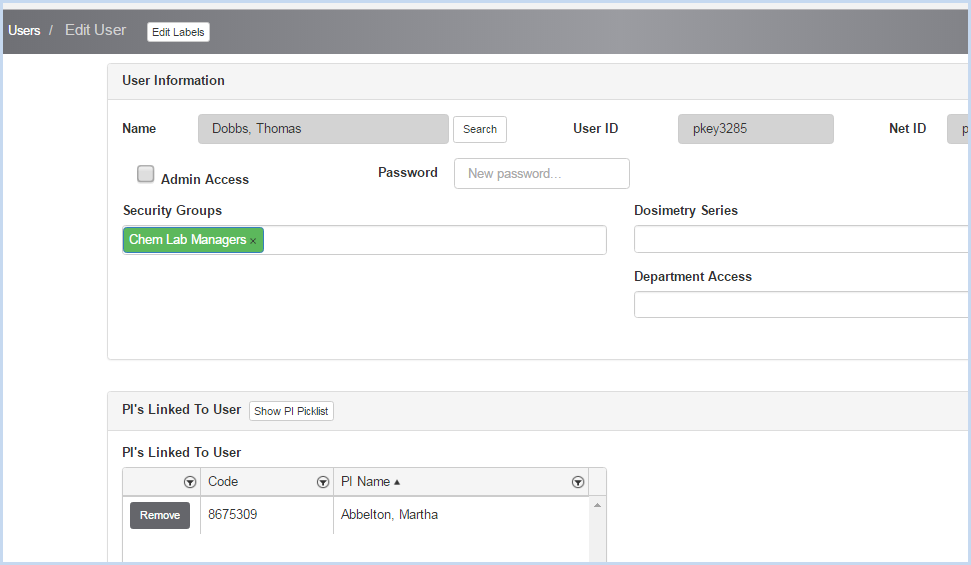
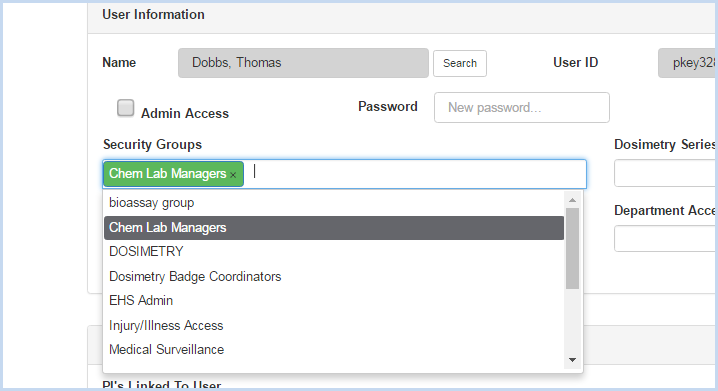
- Assign the User to the Security Group(s) that allows permissions needed
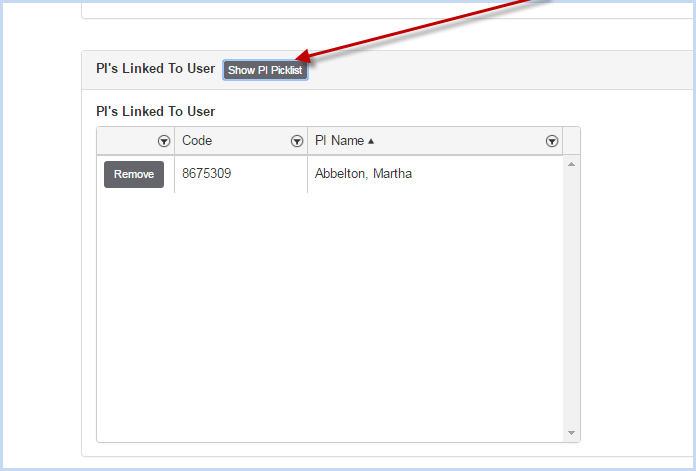
- Click [Show PI Picklist] to attach PI to the specific user. This will allow the user to view inventory and other other items for specific PI's.
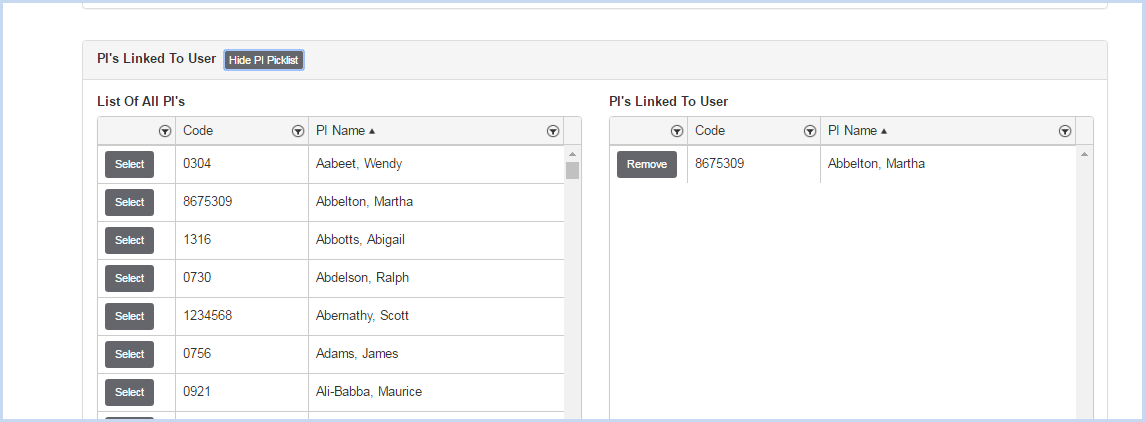
- The [Show PI Pick List] button will open the list of PI's to select and add. Scroll through the list and click [Select] to add a PI to the Linked PI List. Click [Remove] to remove a PI from the linked list.
- Access to Dosimetry Series and Department (Training) is added in the dropdowns as circled below.
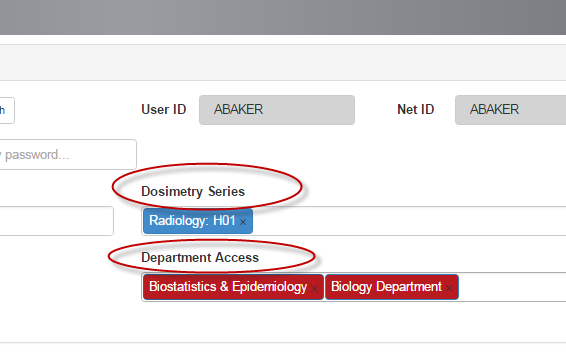
- Here is an example of a user that only has rights to Training History by Department for the departments listed:

- When the user logs into the EHSA program, she only has access to Training.

- When Training is selected, the options are shown below.

- Select the Department to view the History and Requirements records.

- Training histories and requirements for individuals in the department selected can be viewed. Click on a worker to view details.
