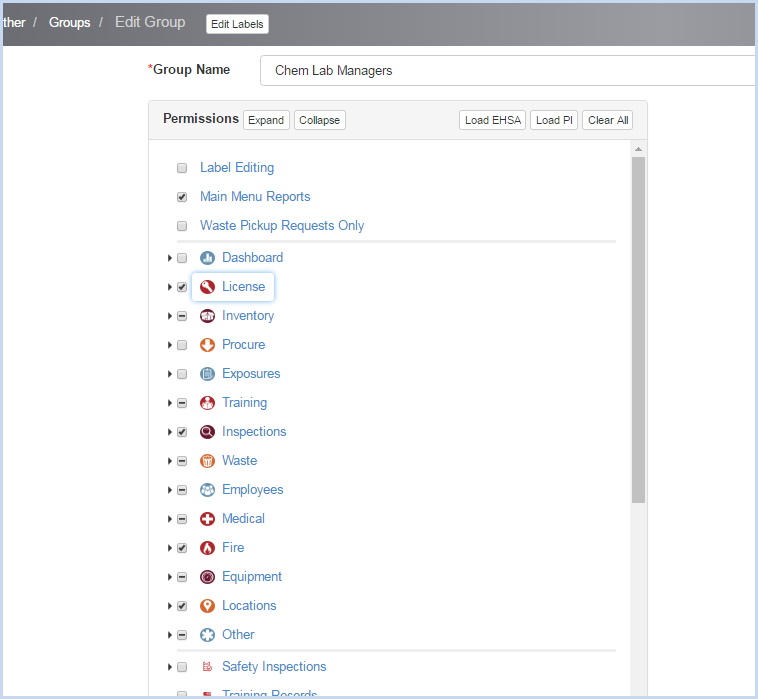
The Group Permissions details will be displayed in a outline format for quick viewing and editing. Check a feature/screen to allow users in the group to view, or uncheck the item to exclude from the Group rights.
Scroll through the list and/or Expand/Collapse the the view to make changes as needed. Click [Save] to save changes, or [Cancel] to discard any edits.
The icons beside the sections will match those on the web site.
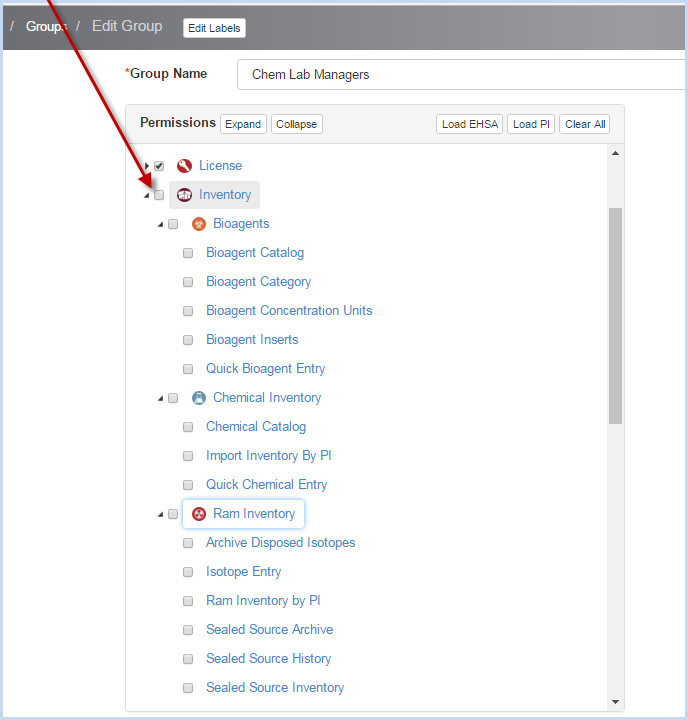
The outline hierarchy allows the administrator to set various access levels. For example, unchecking "Inventory" will remove access to all inventory modules listed below.
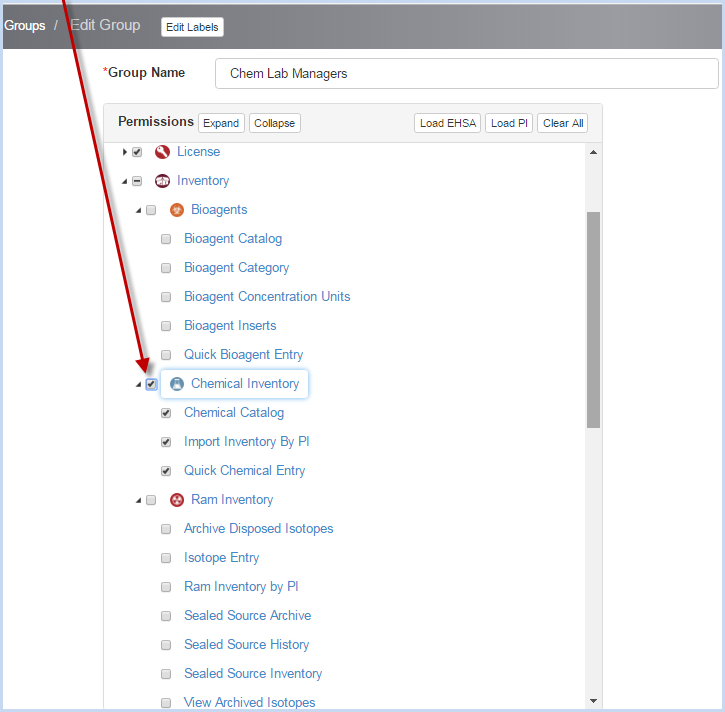
To allow access for only the items under Chem Inventory, the Chem Inventory section is checked.
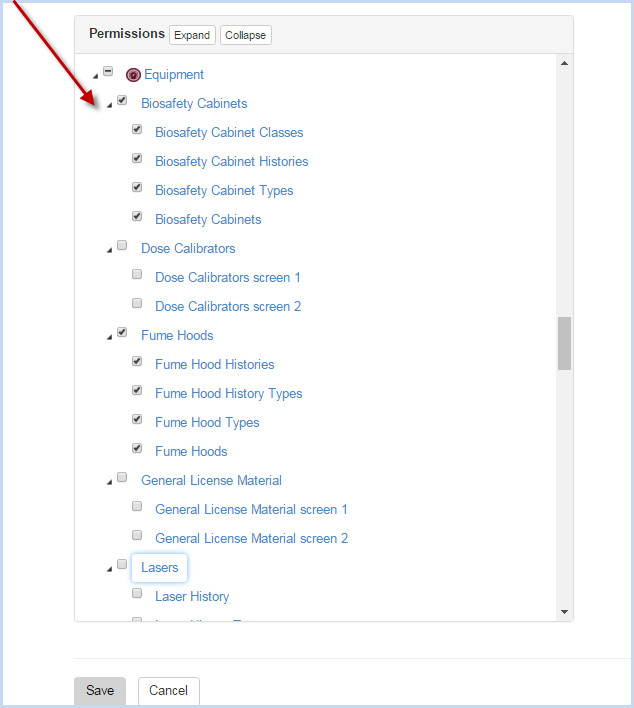
Individual line items can be checked or unchecked as needed for the user group. In the example below, access rights under Equipment allow Biosafety Cabinets and Fume Hoods, but not Dose Calibrators, General License Materials, or Lasers.
When edits are complete for the Group, click [Save] to save, or [Cancel] to discard the changes.